
Open any .md file and see it rendered instantly — code highlighting, math, diagrams, and a table of contents. No setup, no account, 100% offline.
Download on the Mac App Store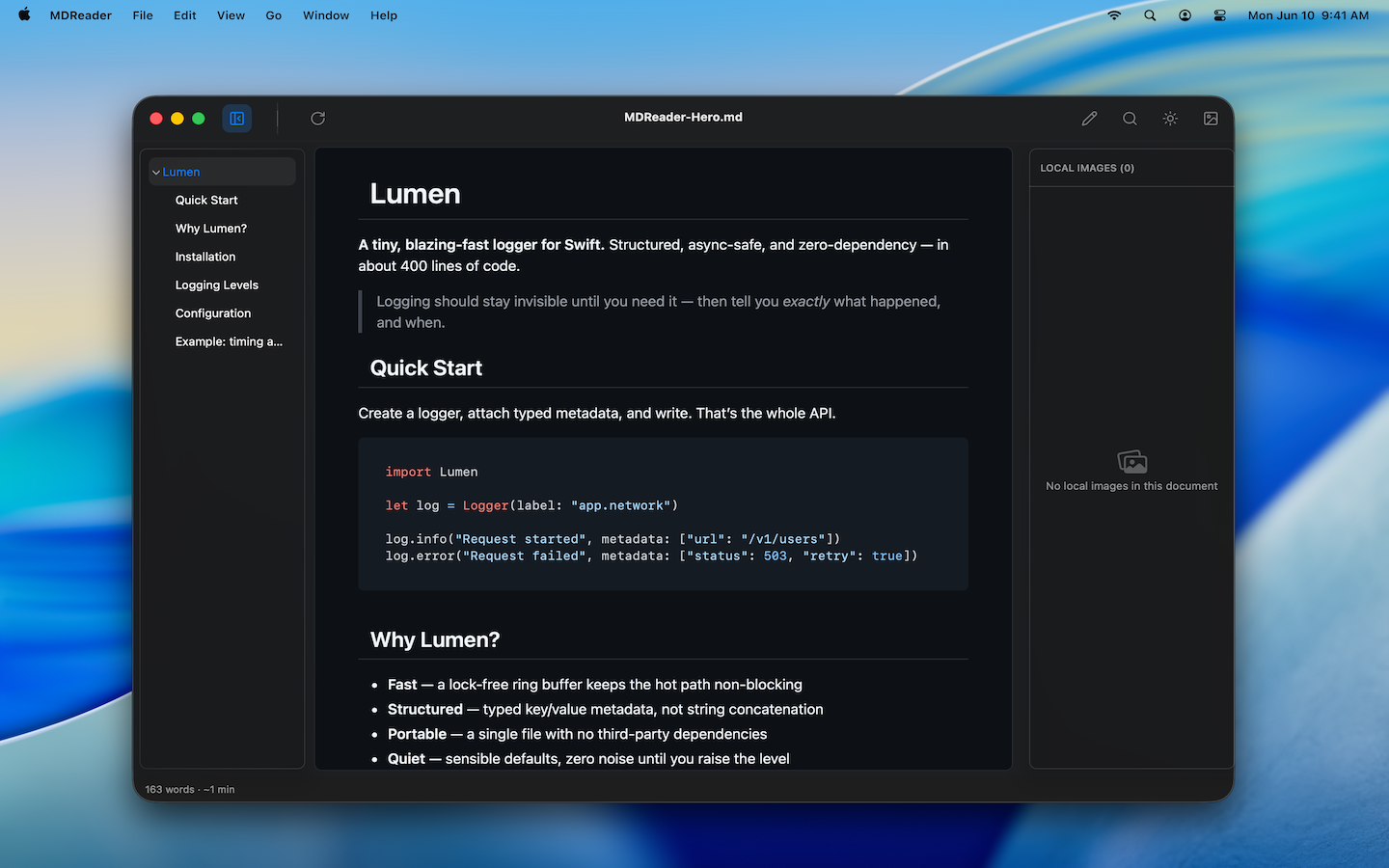
Native macOS app. Open a file, see it rendered — no Electron, no lag.
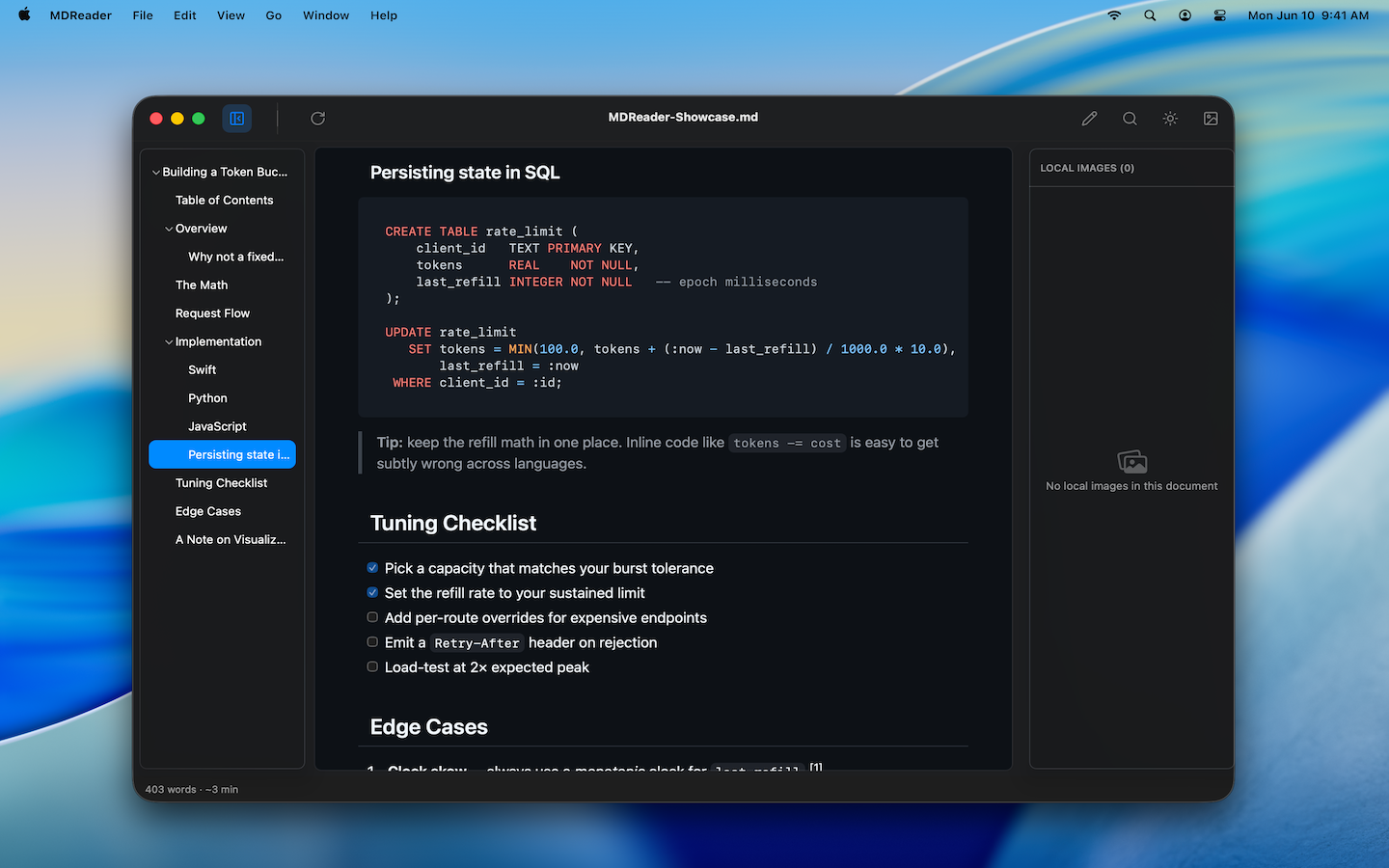
Swift, Python, JavaScript, SQL and dozens more languages, highlighted out of the box.
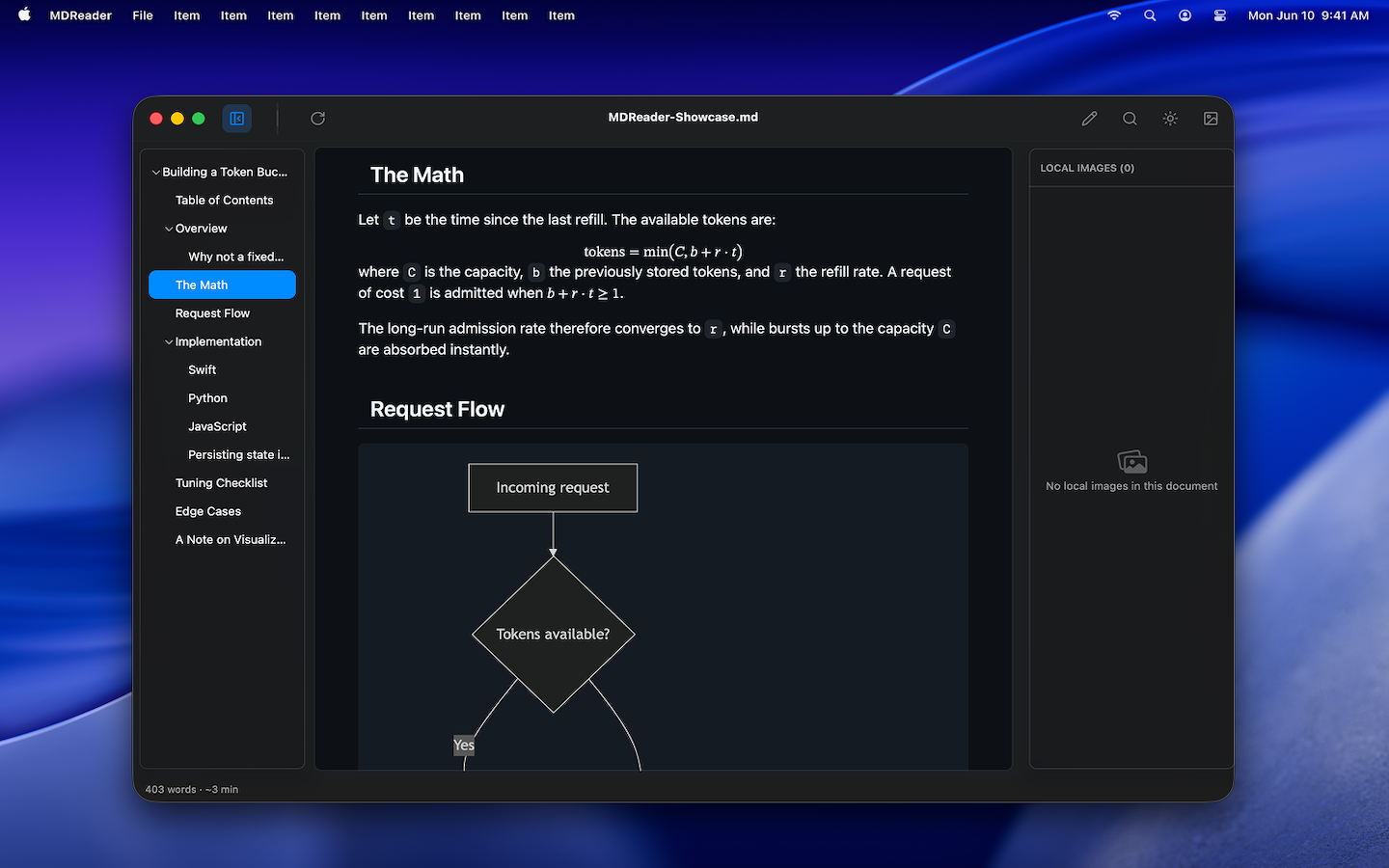
LaTeX / KaTeX equations and Mermaid flowcharts render right in the document.
Auto-generated sidebar TOC that follows your scroll. Jump to any section.
Search the rendered view with ⌘F, with match highlighting and navigation.
Press Space on any .md file in Finder to preview it — without opening the app.
Open a whole folder of Markdown files and browse them in one window.
Multiple built-in themes, or follow the system appearance automatically.
Self-contained HTML or print-ready PDF — share documents that look right.
Edit in your favorite editor; MDReader refreshes the preview automatically.
Toggle to the raw Markdown source any time, with native find.
Fully sandboxed Mac App Store build. Your documents stay on your device.
MDReader works entirely offline. Your documents are never uploaded, synced, or indexed anywhere — they stay on your Mac. No account, no tracking of your content.
Install MDReader, then double-click any .md file — or select it in Finder and press Space to preview it instantly with Quick Look. You can also drag a file or a whole folder onto the app.
Yes. MDReader is free on the Mac App Store.
MDReader is a reader first: it renders Markdown beautifully. You can toggle to the raw source and make quick edits, but for heavy writing we recommend pairing it with your favorite editor — MDReader live-reloads as you save.
CommonMark and GitHub Flavored Markdown — tables, task lists, footnotes, strikethrough — plus LaTeX math and Mermaid diagrams.